Mobile Game GUI Pack 06: A Designer’s Best Friend for 2D Mobile Games
Creating a visually appealing and user-friendly interface is one of the most critical aspects of developing a successful 2D mobile game. That’s where Mobile Game GUI Pack 06 comes in. This comprehensive GUI pack is specifically designed for game developers and UI/UX designers who want to streamline their workflow without compromising on quality or creativity. Whether you're a solo indie developer or part of a larger studio, this pack offers everything you need to build a polished, professional interface that enhances gameplay and user experience.
What’s Inside Mobile Game GUI Pack 06?
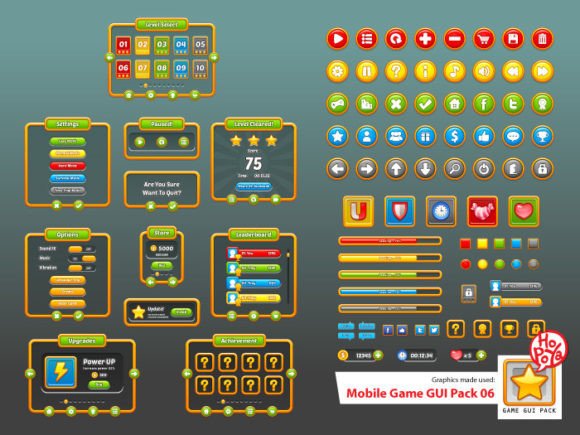
This GUI pack is packed with high-quality, customizable assets that make it easy to design a cohesive and responsive user interface. Here’s a closer look at what’s included:
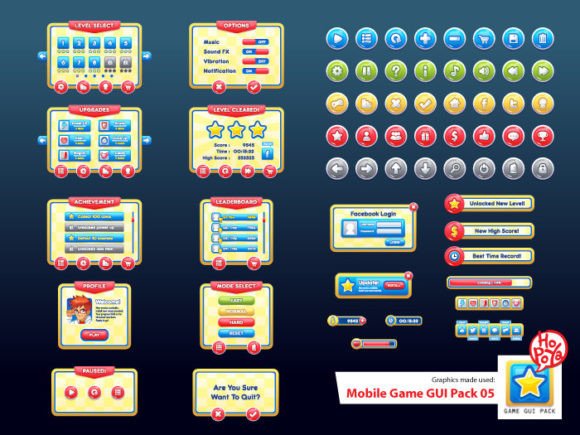
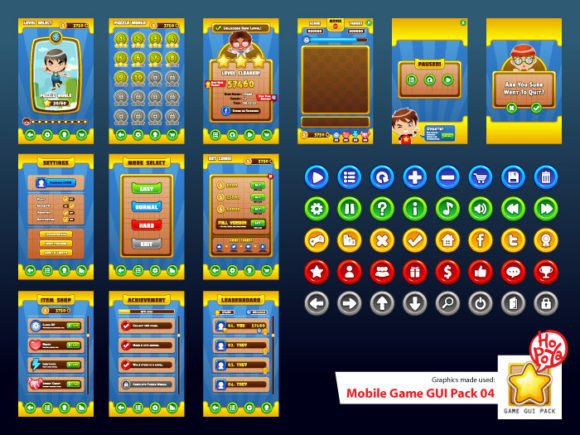
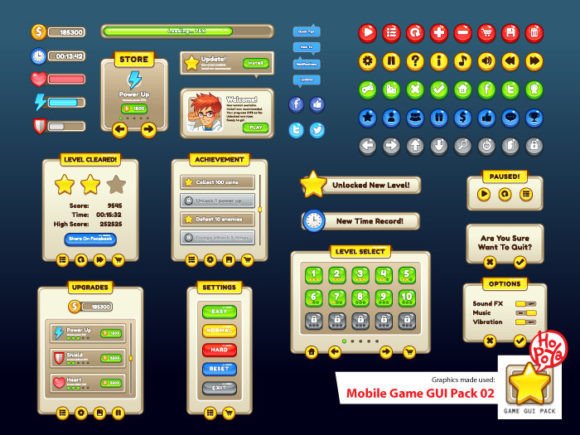
- 40 customizable buttons in 5 different color variations, allowing for quick design adjustments and visual consistency.
- Customizable window and game elements that can be tailored to fit any game theme or style.
- Vector AI and EPS10 files for scalability without loss of quality, perfect for both high-resolution screens and responsive design.
- Transparent PNG files for seamless integration into any background or layout.
- The PoetsenOne font, which adds a modern, clean aesthetic to your interface elements and ensures readability across devices.
Why Mobile Game GUI Pack 06 Stands Out
Not all GUI packs are created equal, and what sets Mobile Game GUI Pack 06 apart is its flexibility, attention to detail, and ease of use. The assets are not just pre-designed templates—they’re building blocks that can be mixed, matched, and modified to suit your unique vision. Whether you're designing a puzzle game, a platformer, or an adventure title, this pack gives you the tools to create a UI that feels native to your game world.
One of the biggest advantages of this pack is that it saves time without sacrificing quality. Instead of designing every button or panel from scratch, you can start with these professional assets and tweak them to match your game’s aesthetic. This allows you to focus more on gameplay mechanics, story development, or marketing—areas that can make or break your game’s success.
Practical Applications Across Industries
While Mobile Game GUI Pack 06 was created with game developers in mind, its utility extends beyond the gaming world. Here are a few examples of how professionals in different fields can benefit from this versatile pack:
- Entrepreneurs launching a mobile app or game can use the GUI assets to prototype their interface quickly and professionally.
- Marketers creating promotional games or interactive content can use the UI elements to maintain a consistent brand aesthetic.
- Educators building educational games or interactive learning tools can benefit from the clean, intuitive interface components.
- Bloggers and content creators can use the GUI elements to design custom visuals for tutorials, reviews, or YouTube thumbnails related to game development.
How It Enhances User Experience
A well-designed user interface isn’t just about looks—it plays a critical role in how players interact with your game. With Mobile Game GUI Pack 06, you can ensure that your interface supports intuitive navigation, clear feedback, and a visually pleasing experience. The customizable buttons and panels help maintain consistency throughout the game, reducing cognitive load and making the game easier to learn and enjoy.
For example, using a unified color scheme across all buttons helps players quickly recognize interactive elements. Transparent PNG files allow for clean layering over backgrounds without distracting visual artifacts. And because the assets are vector-based, they scale beautifully across different screen sizes and resolutions, ensuring a consistent experience on both high-end and budget devices.
Real-World Examples and Use Cases
Let’s say you're developing a casual puzzle game with a minimalist art style. You can use the neutral-colored buttons and clean window frames from Mobile Game GUI Pack 06 to create a sleek, distraction-free interface. Alternatively, if you're working on a vibrant, action-packed game, the five color variations give you the flexibility to match your UI to your game’s energetic tone.
Another common use case involves indie developers who are working solo or with limited resources. Instead of spending weeks designing and testing UI assets, they can jump-start their project with this pack and dedicate more time to core gameplay features. This efficiency can significantly shorten development cycles and get the game into testing or market faster.
Implementation Tips and Best Practices
When integrating Mobile Game GUI Pack 06 into your project, consider the following tips to maximize its potential:
- Start with a style guide – Define your game’s visual language early on to ensure consistency across all UI elements.
- Customize thoughtfully – While the assets are customizable, avoid over-modifying them to the point of inconsistency. Keep your interface cohesive and intuitive.
- Test on multiple devices – Use the vector files to scale assets appropriately and ensure they look sharp on all screen sizes.
- Pair with the PoetsenOne font – This font was chosen for a reason—it’s modern, readable, and complements the UI elements beautifully.
Final Thoughts
In the competitive world of mobile game development, having a strong, functional, and visually appealing UI can be the difference between a forgotten app and a breakout hit. Mobile Game GUI Pack 06 provides a solid foundation for developers and designers to build upon, offering flexibility, quality, and efficiency in one package. Whether you're creating a personal project or preparing a commercial release, this GUI pack is a smart investment that can elevate your game’s presentation and user experience.
If you’ve used Mobile Game GUI Pack 06 in your own project, feel free to share your experience below. Your insights could help others make the most of this valuable resource!