Mobile Game GUI Pack 04: Streamline Your 2D Game Design
Design Faster with a Comprehensive UI Toolkit
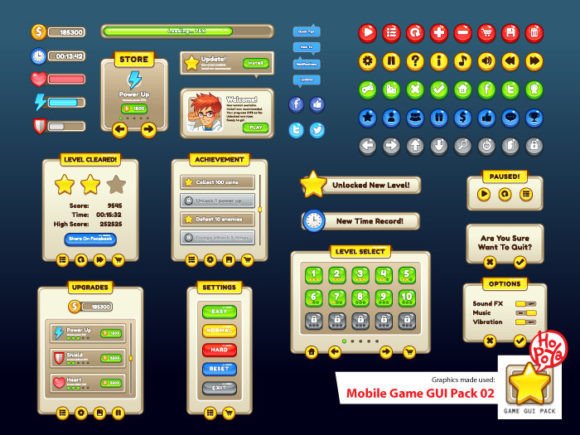
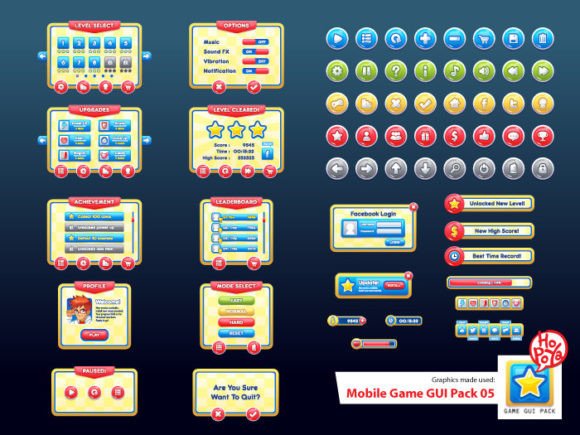
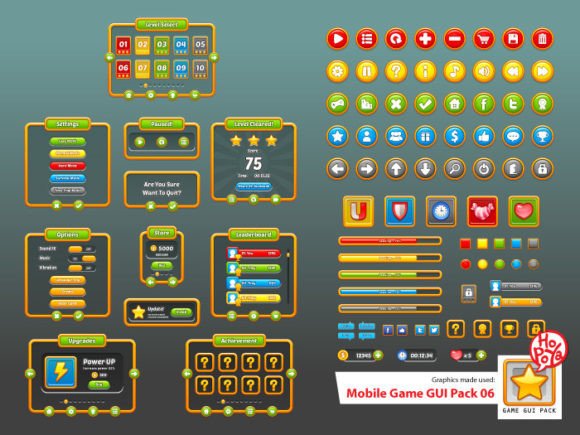
Creating a polished user interface for a 2D mobile game can be one of the most time-consuming parts of development. Mobile Game GUI Pack 04 offers a streamlined solution with a complete set of customizable interface elements, helping developers and designers focus more on gameplay and less on layout details. Whether you're building a puzzle game, a platformer, or an adventure title, this GUI pack provides a strong visual foundation that's easy to adapt and integrate.
Customizable Buttons for Diverse Game Styles
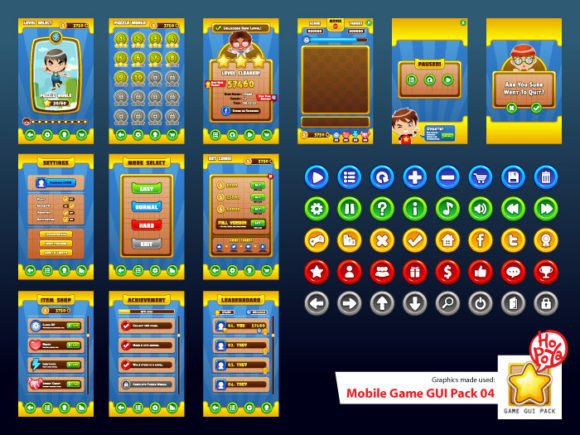
The pack includes 40 buttons across five color variations, giving you flexibility without the need to start from scratch. These buttons are ideal for menus, pause screens, inventory systems, and in-game controls. Each button can be resized, recolored, or layered with icons depending on your game’s visual language. This level of customization helps maintain a cohesive design while saving development time.
Scalable Vector Files for Professional Results
Mobile Game GUI Pack 04 delivers assets in both AICS and EPS10 vector formats, allowing for lossless scaling across different screen sizes and resolutions. This is especially valuable for mobile games, where UI clarity on various devices is crucial. Vector files also make it easier to tweak individual elements without compromising quality, whether you're adjusting corner radii or tweaking gradients.
Transparent PNGs for Seamless Integration
In addition to vector files, the pack includes transparent PNG versions of all elements. These are ready to use directly in your game engine, reducing the need for additional image processing. Transparent backgrounds ensure your UI elements blend naturally with your game’s environment, whether you're designing a futuristic HUD or a rustic fantasy interface.
Window and Game Elements That Adapt to Your Vision
Beyond buttons, the GUI pack offers customizable window frames, panels, and other interface components. These elements are designed to work together visually, making it easier to create consistent screens for settings, level selection, or in-game notifications. You can layer and modify them to suit different parts of your game, maintaining a unified aesthetic without repetitive design work.
Typography That Enhances Readability and Style
The pack uses two distinct fonts: Molot for bold, impactful text and Aller Display for cleaner, modern UI labels. These typefaces complement the graphical elements and are legible at various sizes, which is essential for mobile interfaces. Whether you're displaying scores, dialogue, or instructions, these fonts help ensure your game's text is both readable and stylistically consistent.
How This Pack Helps You Work Smarter
If you're working on a solo project or a small team, time and resources are often limited. Mobile Game GUI Pack 04 helps reduce the design workload by offering a ready-to-use interface toolkit that's both flexible and high-quality. Instead of spending hours creating buttons or panels from scratch, you can focus on core gameplay mechanics, level design, or narrative elements that make your game stand out.
Who Benefits Most from This GUI Pack?
- Indie developers who need a polished UI quickly without hiring a dedicated artist.
- Freelance designers working on multiple projects and needing reusable, adaptable assets.
- Game design students learning UI/UX principles and looking for professional-grade materials to practice with.
- Small studios aiming to maintain visual consistency across multiple game scenes without reinventing the wheel.
Use Cases That Show Real-World Value
Imagine you're building a mobile RPG and need to design inventory, skill trees, and dialogue boxes. With Mobile Game GUI Pack 04, you can start with pre-built window frames and buttons, then customize them to match your game’s medieval or sci-fi theme. Instead of spending days on layout, you can prototype screens in minutes and iterate based on playtesting feedback.
Another example: a developer working on a casual mobile puzzle game might use the transparent PNG buttons for in-game controls and the vector panels for score displays. The ability to scale without quality loss ensures the UI looks sharp on both phones and tablets, improving the player experience across devices.
Considerations for Best Results
While Mobile Game GUI Pack 04 offers a broad range of elements, it's important to assess whether the visual style aligns with your game’s theme. If your project requires a highly stylized or minimalist interface, you may need to do additional customization or combine this pack with other assets. However, for most 2D mobile games, especially those with a retro, fantasy, or action-oriented look, this GUI pack provides a strong starting point.
Final Thoughts: A Practical Tool for Real Game Development Needs
Mobile Game GUI Pack 04 is more than a collection of buttons and panels—it’s a toolkit that supports faster development, better design consistency, and more creative freedom. Whether you're building your first game or your tenth, having a reliable UI foundation can make a significant difference in both the quality and speed of your project. By offering customizable, high-quality assets in multiple formats, this pack helps you focus on what matters most: creating a compelling and engaging game experience.
If you're looking for a way to simplify your UI design process while maintaining visual quality, Mobile Game GUI Pack 04 is worth exploring. With its versatile elements and thoughtful design, it’s a resource that can support your creative goals and help bring your game vision to life more efficiently.