Enhancing 2D Mobile Game Design with Mobile Game GUI Pack 05
Streamlining UI Development with a Comprehensive GUI Toolkit
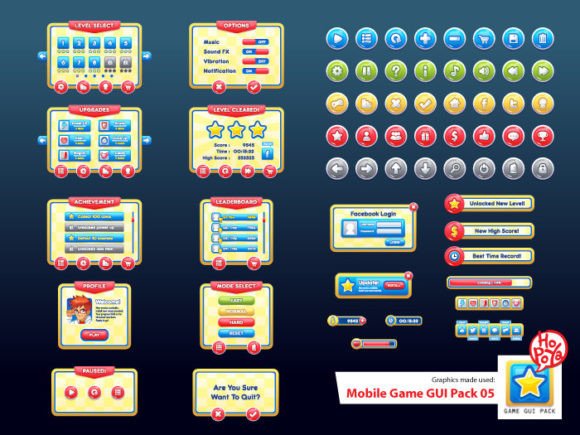
Developing a visually appealing and functionally robust user interface for a 2D mobile game can be one of the most time-consuming aspects of game creation. Mobile Game GUI Pack 05 offers a streamlined solution for developers and designers aiming to accelerate the UI development process without compromising on customization or visual appeal. This pack, along with its complementary GUI elements, provides a versatile toolkit that supports both rapid prototyping and polished final implementations.
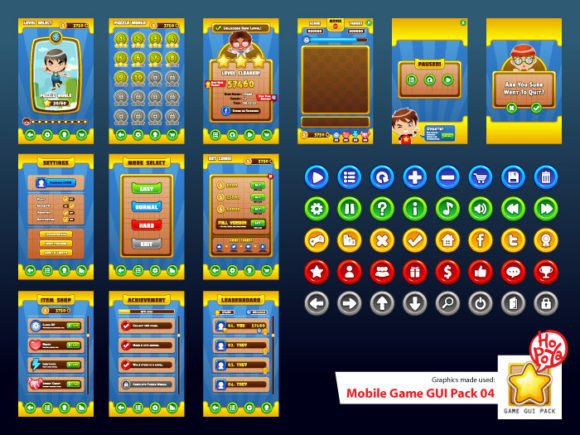
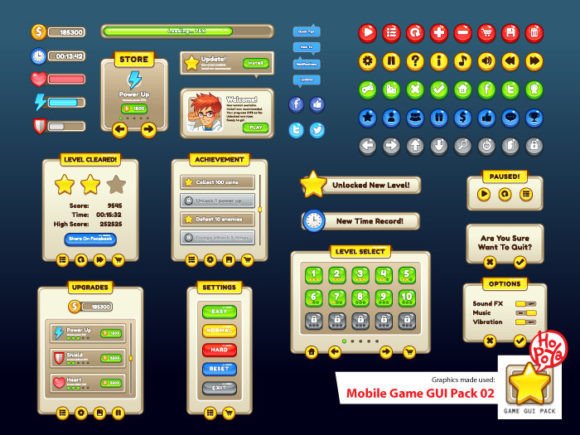
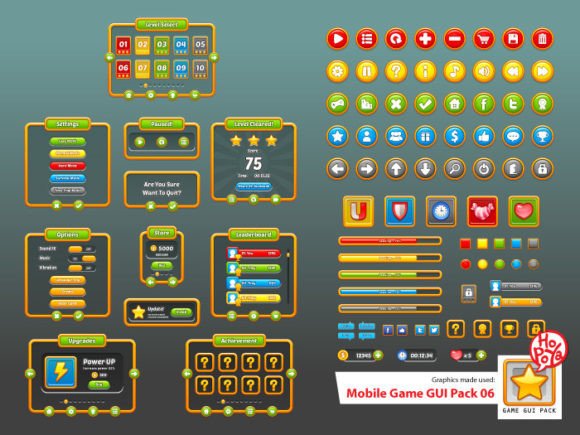
The pack includes 40 customizable buttons available in five distinct color variations. These buttons are not only aesthetically pleasing but also adaptable to various game genres and themes. Whether designing a casual puzzle game or an action-packed RPG, developers can easily tweak the color, size, and text to align with the game’s visual identity. This level of flexibility reduces the need for custom asset creation from scratch, allowing teams to focus more on gameplay and user experience.
Customizable Windows and Game Elements for Cohesive Design
In addition to buttons, Mobile Game GUI Pack 05 features customizable windows and interface components that contribute to a unified in-game experience. These include dialog boxes, health bars, inventory panels, and menu screens, all of which can be adjusted to fit different screen sizes and resolutions. Given the diversity of mobile devices, this adaptability is crucial for ensuring a consistent and user-friendly interface across platforms.
Each element in the pack is designed with scalability in mind. Vector-based AI and EPS10 files allow for high-quality resizing without loss of clarity, making them ideal for both high-resolution displays and lower-end devices. Developers can export these elements as transparent PNGs, which integrate seamlessly into any background or layout. This flexibility is especially valuable for indie developers who may not have access to dedicated UI artists.
Typography That Enhances Readability and Style
Typography plays a significant role in how players interact with a game's interface. The Mobile Game GUI Pack 05 includes two distinct font types: RockoUltraFLF and Dosis. RockoUltraFLF brings a bold, stylized appearance suitable for titles, achievements, and game-over screens, while Dosis offers a clean, modern sans-serif alternative ideal for menus, instructions, and HUD elements.
These font choices are not arbitrary—they are selected for their readability and stylistic versatility. In mobile games where screen space is limited, legibility is essential. Dosis, in particular, maintains clarity at smaller sizes, making it perfect for in-game text such as scores, timers, and dialogue. Meanwhile, RockoUltraFLF adds a touch of personality without overwhelming the interface, ensuring that the visual tone aligns with the game's theme.
Real-World Applications and Design Workflows
Integrating Mobile Game GUI Pack 05 into a development workflow can significantly reduce the time spent on UI design. Consider a small development team working on a match-3 puzzle game. Instead of spending weeks designing buttons, dialog boxes, and score displays from scratch, they can use the pre-built elements from the pack. This allows them to iterate quickly, test different layouts, and refine the user experience without being constrained by asset creation timelines.
Moreover, the inclusion of both vector and PNG files ensures that developers can work within their preferred tools and pipelines. Designers using Adobe Illustrator can edit the AI and EPS10 files directly, while those working in Unity or Unreal Engine can import the transparent PNGs for immediate use. This compatibility across platforms and software makes Mobile Game GUI Pack 05 a versatile choice for both solo developers and larger studios.
Advantages of Using a Pre-Built GUI Pack
There are several key advantages to utilizing a comprehensive GUI pack like Mobile Game GUI Pack 05:
- Time Efficiency: Ready-to-use assets eliminate the need to design every UI component from scratch, accelerating the development cycle.
- Consistency: Pre-designed elements ensure a cohesive look and feel across all screens and interactions.
- Scalability: Vector assets maintain quality across various resolutions and screen sizes, supporting a wide range of devices.
- Cost-Effectiveness: Purchasing a GUI pack is often more economical than commissioning custom UI design work.
For educators and hobbyists, these benefits are particularly valuable. Students learning game design can focus on core principles like usability and interaction without getting bogged down by visual design challenges. Similarly, hobbyists developing games in their spare time can produce professional-looking interfaces without advanced graphic design skills.
Use Cases Across Different Game Genres
The versatility of Mobile Game GUI Pack 05 makes it suitable for a wide variety of game genres. Let's explore a few examples:
- Casual Games: In games like endless runners or match-3 puzzles, minimalistic and intuitive UI is key. The customizable buttons and clean fonts in the pack support quick decision-making and easy navigation.
- Role-Playing Games (RPGs): RPGs often require complex UI systems for inventory, quests, and character stats. The window and panel components in the pack can be layered and adjusted to create detailed yet user-friendly interfaces.
- Strategy and Simulation Games: These genres typically involve managing multiple resources and systems. The scalable and modular UI elements allow for dynamic layouts that adapt to different gameplay scenarios.
- Edutainment and Educational Apps: Clear typography and structured UI components help convey information effectively, making the pack ideal for educational content aimed at children or learners.
Considerations for Implementation
While Mobile Game GUI Pack 05 offers a wealth of ready-to-use assets, successful implementation requires thoughtful integration. Designers should consider the following factors:
- Thematic Consistency: Ensure that the visual style of the GUI aligns with the game’s overall aesthetic. While the pack offers customization, some elements may need additional tweaking to fit a specific theme.
- User Experience (UX) Flow: Arrange UI components in a way that guides the player naturally through the game. Buttons should be placed where users expect them, and menus should be intuitive to navigate.
- Accessibility: Consider contrast, font size, and interactive element spacing to ensure the interface is usable for players with different visual and motor abilities.
Testing the UI across multiple devices and screen sizes is also essential. Transparent PNGs and vector files allow for adjustments, but real-world testing ensures that the interface performs as intended under various conditions.
Conclusion
Mobile Game GUI Pack 05 is a powerful resource for developers seeking to create polished, functional, and visually appealing interfaces for 2D mobile games. Its combination of customizable buttons, scalable vector assets, and carefully selected fonts makes it a valuable tool for both beginners and experienced designers. By leveraging this pack, developers can streamline their workflow, maintain design consistency, and focus more on crafting engaging gameplay experiences.
Whether you're an indie developer working solo or part of a team building a commercial mobile title, Mobile Game GUI Pack 05 provides the foundation for a professional-grade UI. With thoughtful implementation and attention to user experience, it can significantly enhance the quality and efficiency of your mobile game development process.